We see a rise of visual artists becoming AI creators going the route of making their process better. When presenting a portfolio that blends AI video creation with automation and technical workflows, the key is positioning yourself as an end-to-end AI Producer & Workflow Architect, rather than just a prompt engineer or video editor.
Clients and employers hire AI video creators to save time, reduce costs, or scale output. By showing how you built the video—not just the final output—you frame your secondary skills (automation, scripting, pipeline integration) as your biggest competitive advantage.
We asked AI to give us some tips on the structure of a good portfolio, it makes sense to go into this direction.
Step 0 would be to plan how you want to show yourself to the world, then choose the platform. GitHub Pages and Claude seem to be a cost-effective way to do this.
1. Structure: The 70 / 30 Split
Organize your main portfolio page around video output, but embed your technical capabilities directly into the case studies.
┌──────────────────────────────────────────────────────────┐
│               HERO: High-Impact Reel                     │
├───────────────────────────────┬──────────────────────────┤
│    AI VIDEO (70% Focus)       │   AUTOMATION (30%)       │
│  • Brand Ads & Commercials    │  • Pipeline Systems      │
│  • Visual Effects / Gen-AI    │  • Batch Generation      │
│  • Character Consistency      │  • Content Engines       │
└───────────────────────────────┴──────────────────────────┘
2. Standard Case Study Layout
Instead of just dropping a video link, structure your featured projects using a 4-part case study format:
Part 1: Final Asset (Visual Anchor)
- Embedded high-definition video player (Vimeo, YouTube, or direct HTML5).
- Short summary: Client name (or mock brief), core deliverable, and main tools used.
Part 2: The Brief vs. The Solution
- The Goal: What needed to be made? (e.g., “Produce a 30-second futuristic tech commercial.”)
- The AI Execution: What visual technique was applied? (e.g., “Combined Flux for keyframes, Runway Gen-3 for motion, and ElevenLabs for voice sync.”)
Part 3: The System / Automation (Your Secret Sauce)
Show how you automated parts of the process. Visuals work best here:
- Workflow Diagram: A screenshot of a Make.com, n8n, or ComfyUI graph.
- The Pipeline: Explain how inputs turned into outputs automatically (e.g., “Hooked Airtable up to OpenAI to auto-generate 10 script variations, which automatically fed image prompts into Midjourney via API.”)
Part 4: Production Metrics
Include data wherever possible to demonstrate ROI:
- Time Saved: “Cut production timeline from 3 weeks to 48 hours.”
- Scale Achieved: “Automated the generation of 50 localized short-form videos in one batch.”
- Cost Efficiency: “Reduced budget by ~75% compared to traditional live-action shoots.”
3. Organizing Your Portfolio Categories
Group your work so visitors can quickly filter based on their intent:
| Category | What to Feature | What It Proves |
| Featured Reels & Commercials | High-polish AI video spots, brand trailers, style frames, motion-graphics integration. | Creative direction, aesthetic taste, editing skills. |
| Content Engines & Systems | Automated YouTube/TikTok content engines, localized video generators, dynamic ad pipelines. | System design, technical problem-solving, scale capability. |
| Technical Demos & R&D | ComfyUI custom workflows, custom LoRA training, lipsync consistency tests, API scripts. | Deep technical expertise, staying ahead of AI tools. |
4. How to Show Automation Visuals
Automation code or flowcharts can look dry if not presented properly. To make them visually engaging:
- Screen Recordings / Interactive Embeds: Record short screen captures showing your workflow executing—e.g., a form submission triggering a script that generates a video asset in real time.
- Architecture Diagrams: Use clean, minimalist diagrams (via tools like Miro, Eraser.io, or Figma) showing input> AI mode> script processing >final video output.
- Before / After Splits: Show raw AI video generation next to final, color-graded, sound-designed output to highlight your editing polish.
5. Technical Stack Display
Display your tech stack transparently in your bio or project footers, divided by functional category:
- Video & Motion: Video & Motion: Runway (Gen-3), Pika, Luma Dream Machine, Kling, Adobe Premiere/After Effects, Topaz AI.” I’d add Seedance and Nano Banana.
- Image & Style: Chat GTP, Nano Banana, Midjourney, Flux, Stable Diffusion (ComfyUI / Automatic1111).
- Audio & Voice: ElevenLabs, Udio, Suno, Adobe Audition.
- Automation & Code: n8n, Make.com, OpenAI API, Anthropic API.
Some examples of portfolios to be inspired
Creative marketing
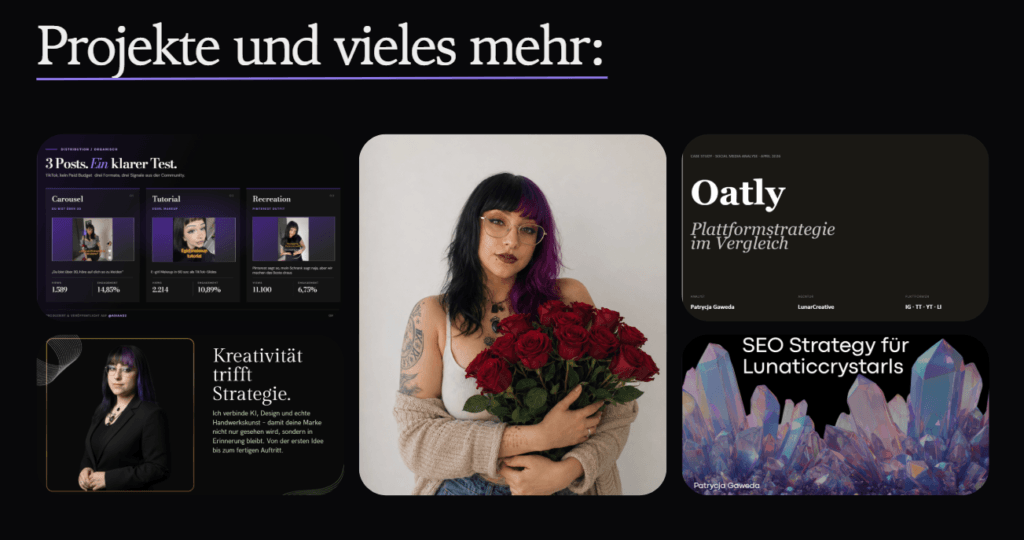
Patrycja Gaweda shows her visual expertise and analytical skills in an interactive website hosted on Canva. Excellent choice to keep the cost down and expose to the world what you can do. Canva is a cost effective tool with great user experience (if you still want control and want to use blocks to edit). AI is there, and as a crator you have a lot of agency.
Video experts
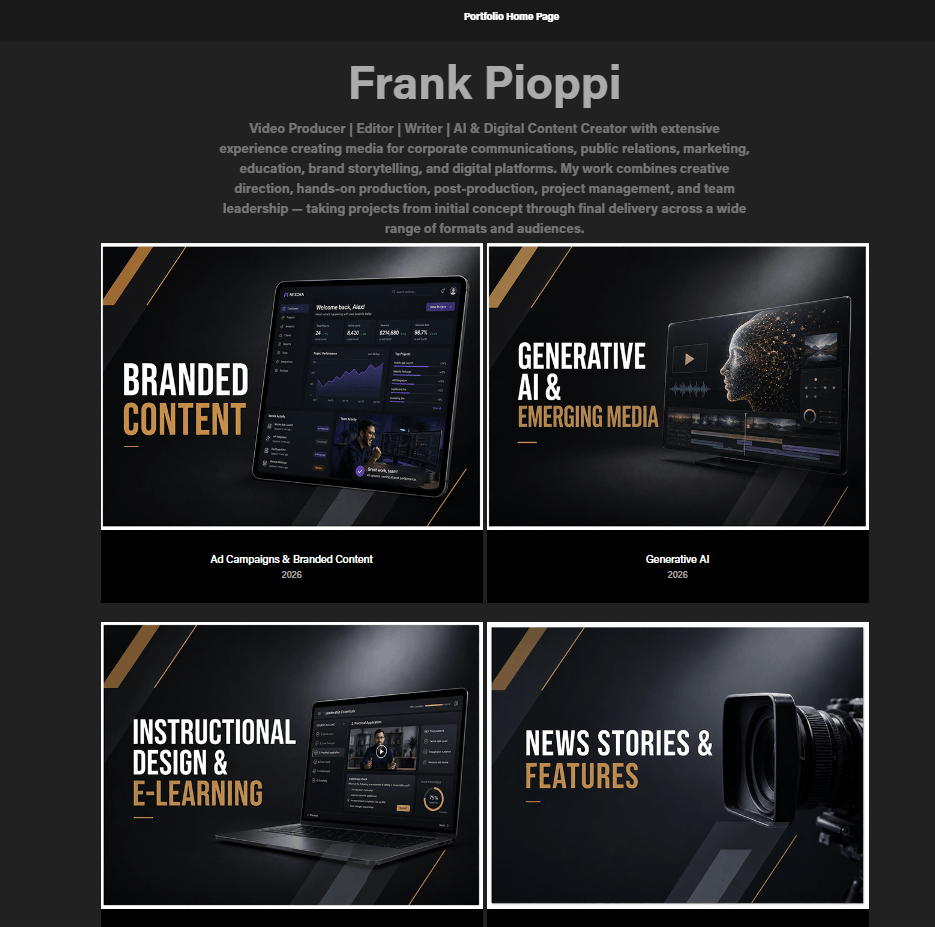
Frank Pioppi is a video producer with years of experience under his belt. Now with AI he organised a very well structured video portfolio also including his expertise with AI workflows and even his hobby: music mixes as a DJ. He keeps brand consitency and used Adobe, as he already has his Cloud subscription, so it is a great easy and almost free way to showcase his work, update it quickly and be visible for future collaborations.